Loyal clients are the heart of a healthy business. With AppFlow you can sell membership plans that reward regulars with a standing discount, and run a credits programme you brand with your own name. This guide takes you from your first plan to a live loyalty programme, one clear step at a time.
1. Create a membership plan
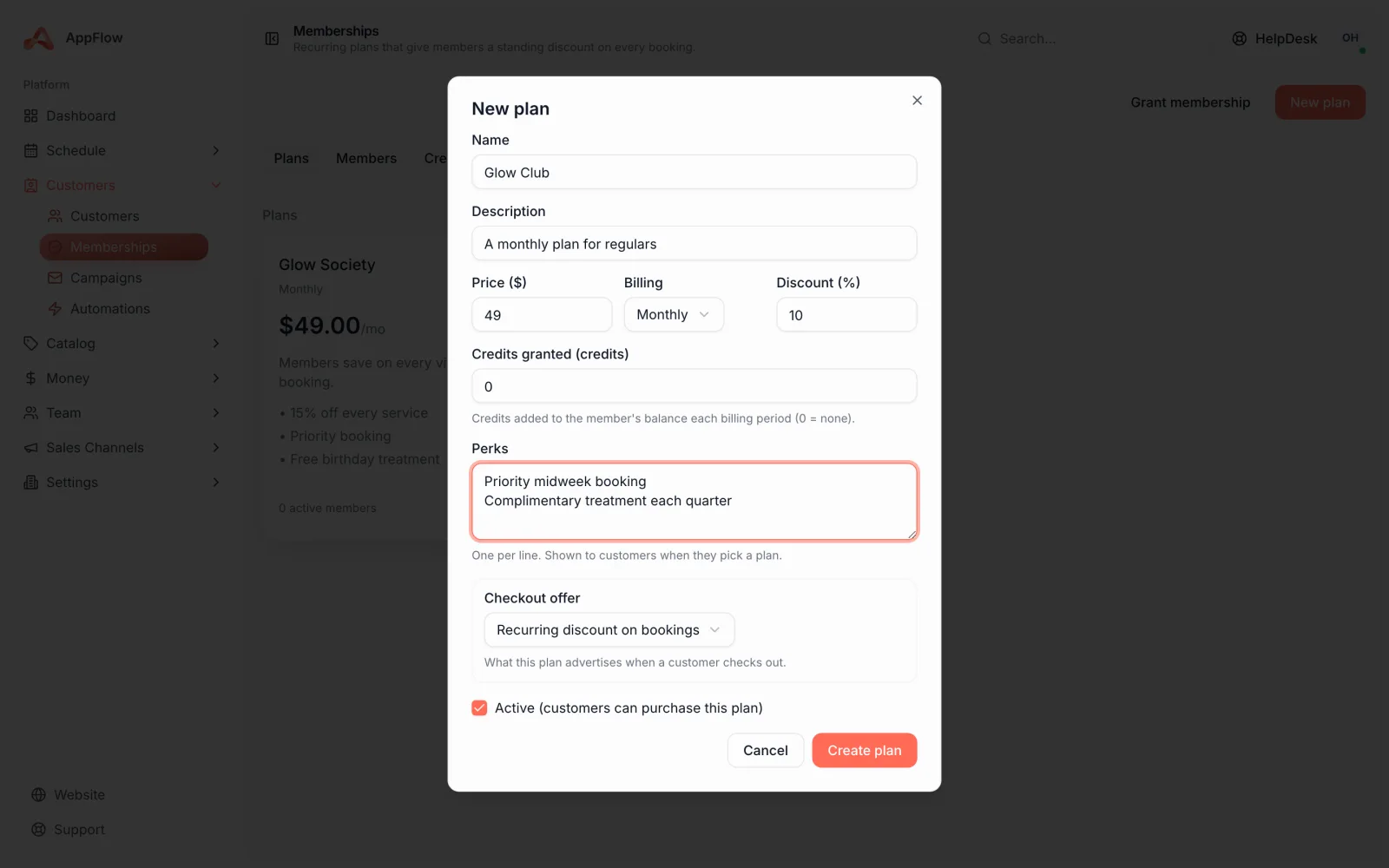
A membership plan gives members a standing discount that is applied automatically every time they book. You choose how clients pay: monthly, yearly or a one-off payment.
- 1
Open Memberships in Settings
Choose Create plan and give it a clear name your clients will recognise, like Maintenance Club or Gold Member.
- 2
Choose how members pay
Pick monthly, yearly or a one-off payment. Paid plans take a card inline when a member joins, so you are set up to charge from day one.
- 3
Set the member discount
Choose the standing discount members get. It is applied automatically at booking, so members never need a code and you never have to remember.
2. Build your credits programme
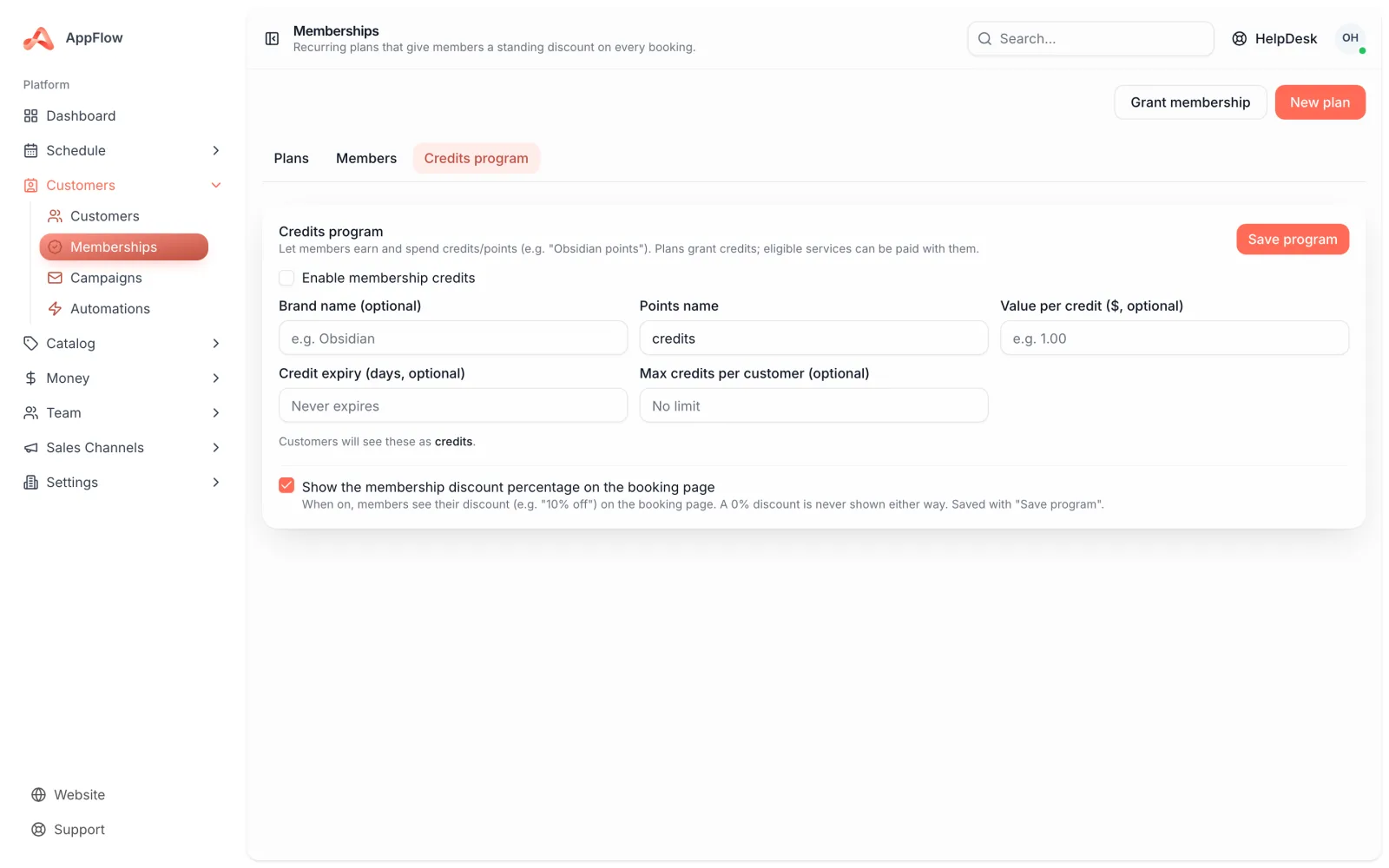
Credits are points your clients earn and spend against eligible services. You brand the programme with your own name, set what each credit is worth and decide the rules that keep it sustainable.
- 1
Name your programme
Give your credits a name that fits your brand, like house points or wash dollars. This is what members see across your booking page.
- 2
Set the value
Decide what one credit is worth in dollars, so clients always know what their balance can buy.
- 3
Set expiry and a per-customer cap
Choose when credits expire and the most a single customer can hold. This keeps the programme fair and protects your margins.
3. Choose what earns and redeems credits
You decide which services let members earn and spend credits. Members earn on the work you choose, then redeem their balance at checkout against eligible services.
- Pick which services earn credits when booked
- Pick which services accept credits as payment
- Let members redeem their balance at checkout in a tap
- Watch every change land on an append-only ledger with a running balance
Good to know
The credit ledger is append-only: nothing is overwritten, so you always have a clear running balance and a full record of how it got there.
4. Let clients join and upsell at checkout
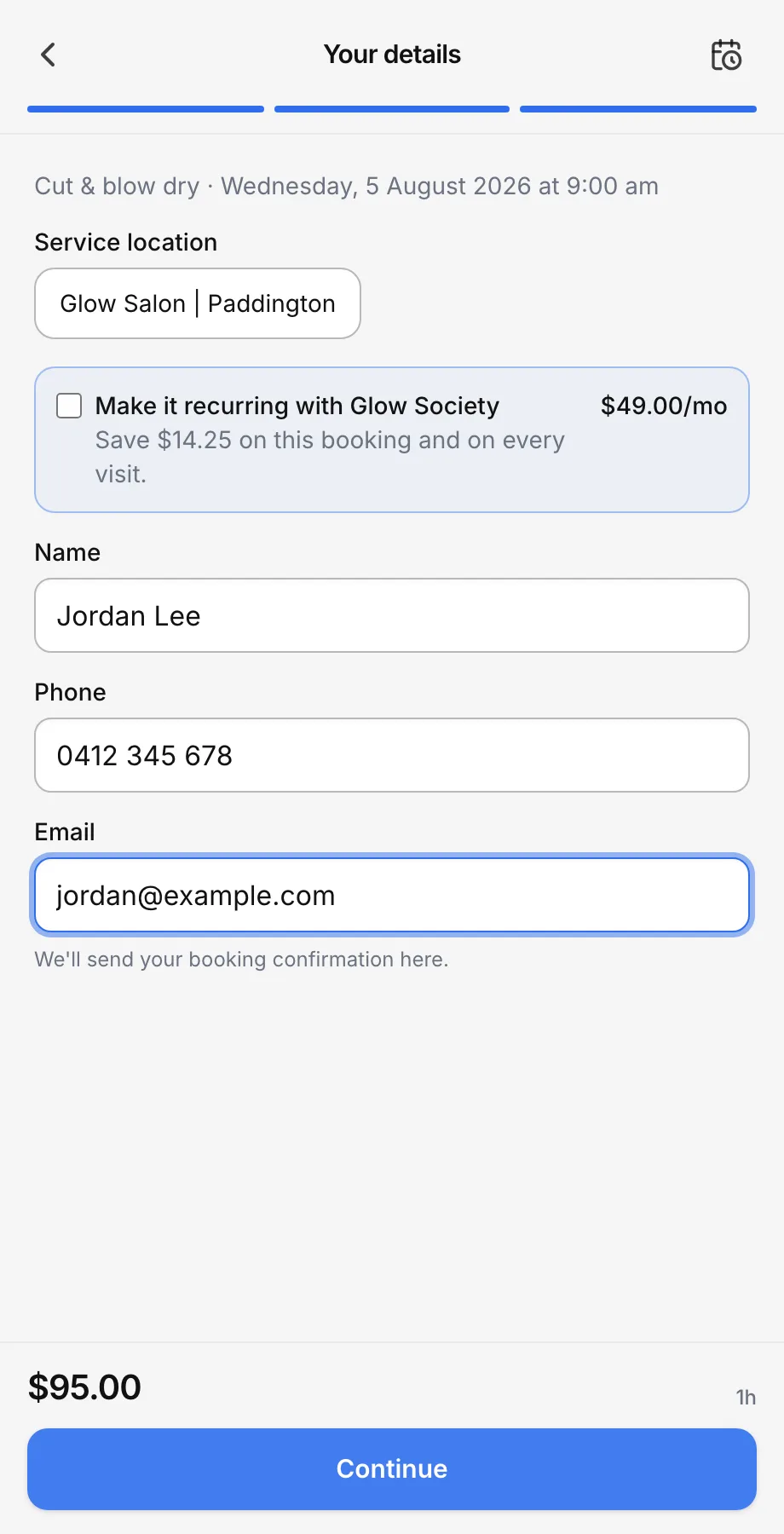
Clients can join a plan during or just after booking, and paid plans take a card inline so there is nothing to chase later. A make-it-recurring upsell can nudge one-off clients to turn their booking into a membership at checkout.
- 1
Turn on join at booking
Let clients join a plan during or right after they book, with the card taken inline for paid plans.
- 2
Switch on the make-it-recurring upsell
Choose which services show the upsell, so one-off clients see how much they would save as a member at the moment it matters.
5. Manage members and grant a comp membership
Once your plans are live, you manage members and renewals from one place. You can also grant a comp membership to look after a VIP, a long-standing regular or a partner you want to thank.
- 1
Review your members and renewals
See who is on each plan, when they renew and their current credit balance, all in one list.
- 2
Grant a comp membership
Add a member to a plan without taking payment, so you can reward someone special on the house.
Tip
Start with one simple plan and a single earn-and-redeem service. You can add plans, adjust the discount or expand your credits programme later without starting over.
That is memberships, credits and loyalty in place. Your regulars now have a reason to keep coming back, and your quiet days have a way to fill themselves.
Was this guide helpful?
Still stuck? Contact us